

When you start digitizing embroidery designs, one setting quickly becomes crucial: embroidery fill stitch density.
A small change in spacing can completely change how an embroidery behaves. It can create a smooth, flexible surface — or a stiff, distorted patch with visible gaps.
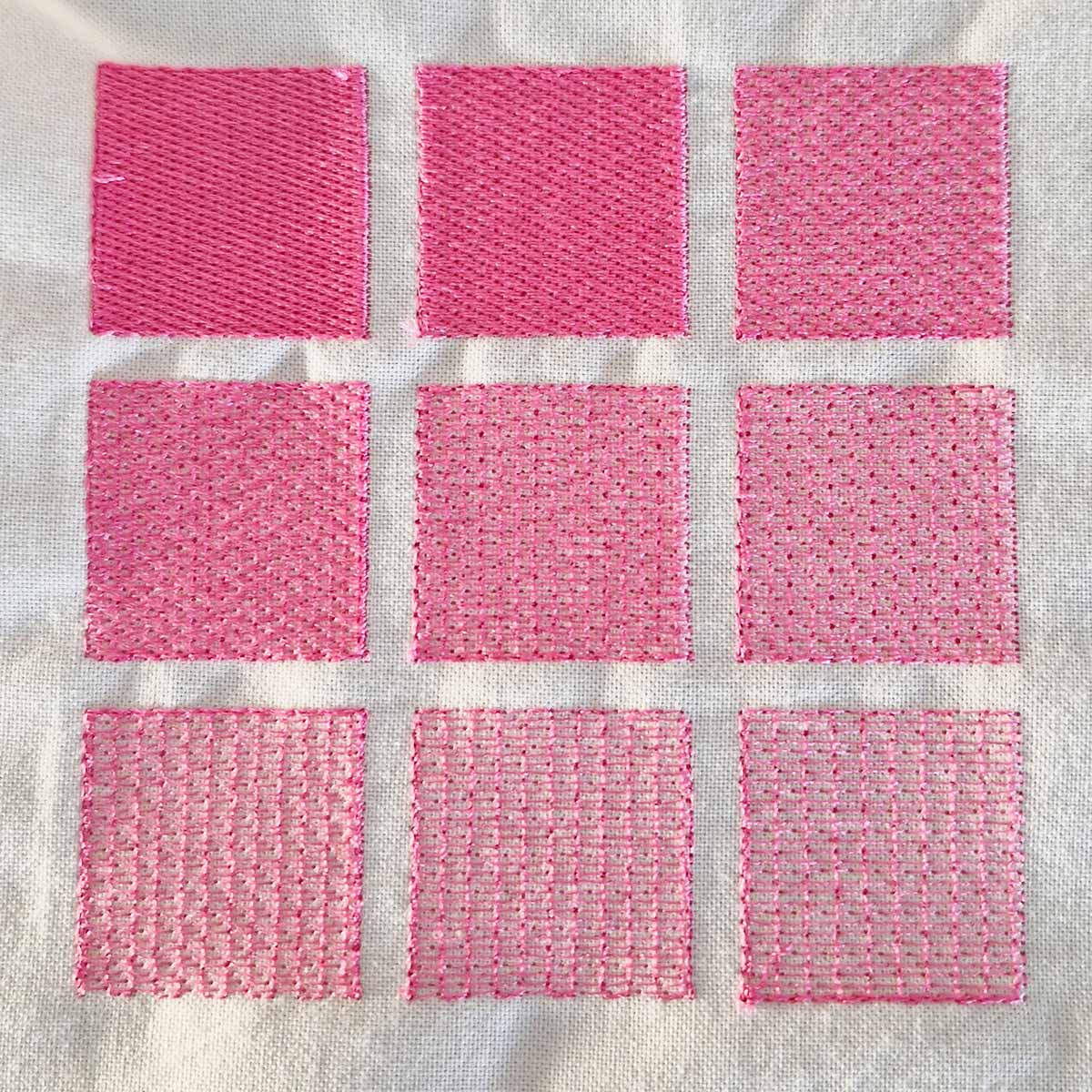
To better understand how fill stitch spacing really affects a design, I created a simple test file and stitched the same shape multiple times. The only thing I changed was the spacing between rows.
Testing fill stitch spacing from 0.25 to 1.05 mm
For this embroidery fill stitch density test, I used the same fabric, stabilizer, thread, and machine settings. Only one parameter changed: the spacing between rows.
The values ranged from 0.25 mm to 1.05 mm, increasing in 0.1 mm steps.
This direct comparison clearly shows how density influences stiffness, flexibility, and fabric behavior.
What “spacing between rows” means in fill stitches
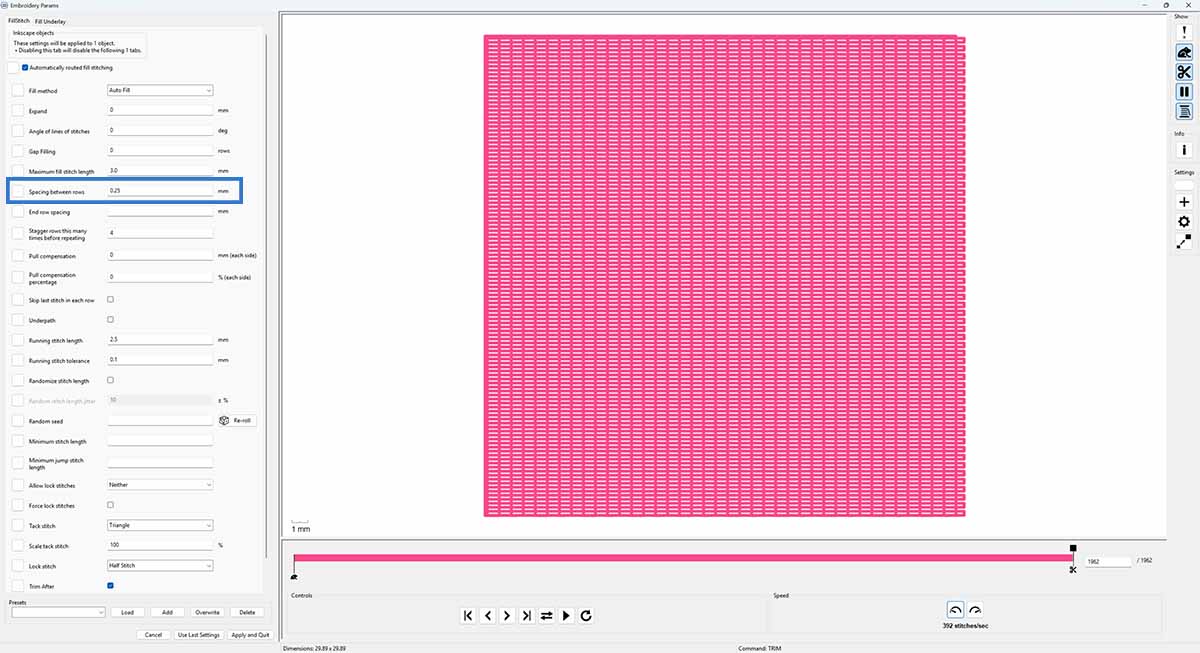
In most embroidery software, including Ink/Stitch, the setting “spacing between rows” controls embroidery fill stitch density.
➡️ Smaller number = higher density
➡️ Larger number = lighter fill
For example:
➡️ 0.25 mm creates a very dense and stiff embroidery surface
➡️ 0.45 mm creates a balanced, standard fill
➡️ 0.75 mm or higher creates a lighter and more textured effect
Here is the exact setting used in this test:
My usual my typical fill stitch spacing values
In most of my designs, I prefer a spacing value between:
➡️ 0.35 mm for slightly denser areas
➡️ 0.45 mm for standard fills
These values create a smooth look without making the embroidery too stiff. They also reduce the risk of fabric distortion.
When lighter fill stitch density is the better choice
Excessive density is not always better.
If you plan to stitch satin outlines or additional elements on top of a fill area, the base layer should remain flexible. Otherwise, the fabric becomes too rigid.
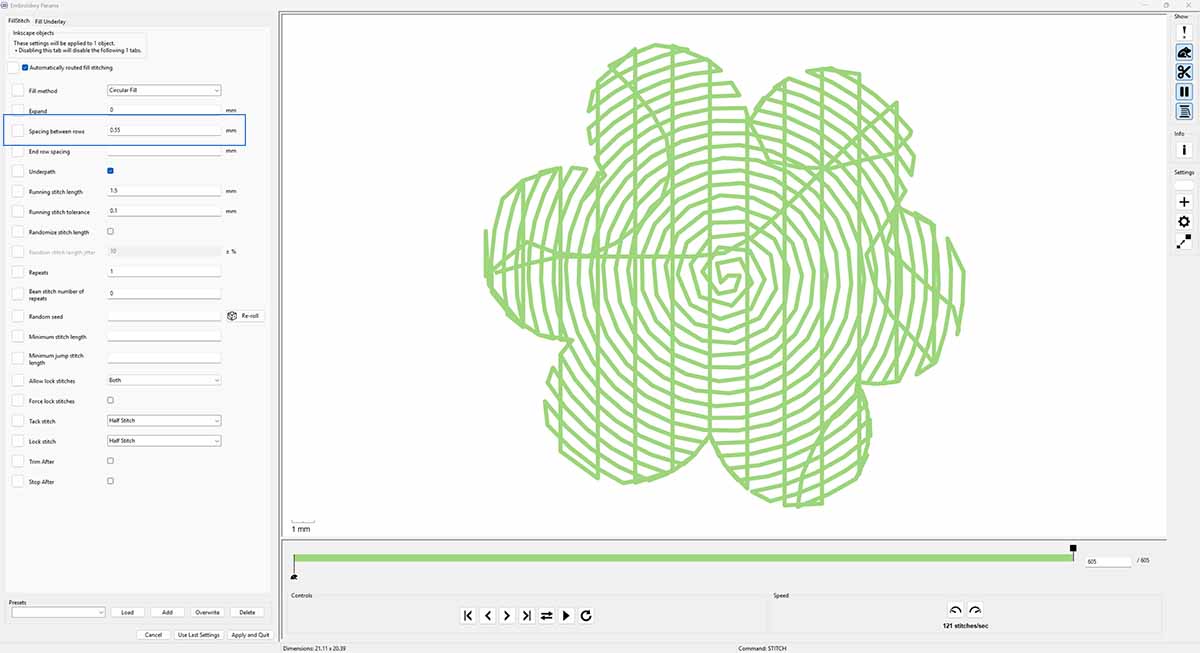
In a recent edelweiss design, I intentionally used a spacing value of 0.55 mm for the green underlay. This lighter overly dense fill stitching kept the base soft enough so the satin stitches on top could sit cleanly.
What happens when embroidery fill stitch density is too high
Very dense fill stitches may look smooth at first glance. However, excessive embroidery fill stitch density creates technical problems.
In one test, I stitched a relatively large design with a spacing value of 0.25 mm. The result was extremely stiff.
Because the fabric could no longer move naturally in the hoop, the material began to shift during stitching. This caused visible gaps between the fill and the outline stitches.
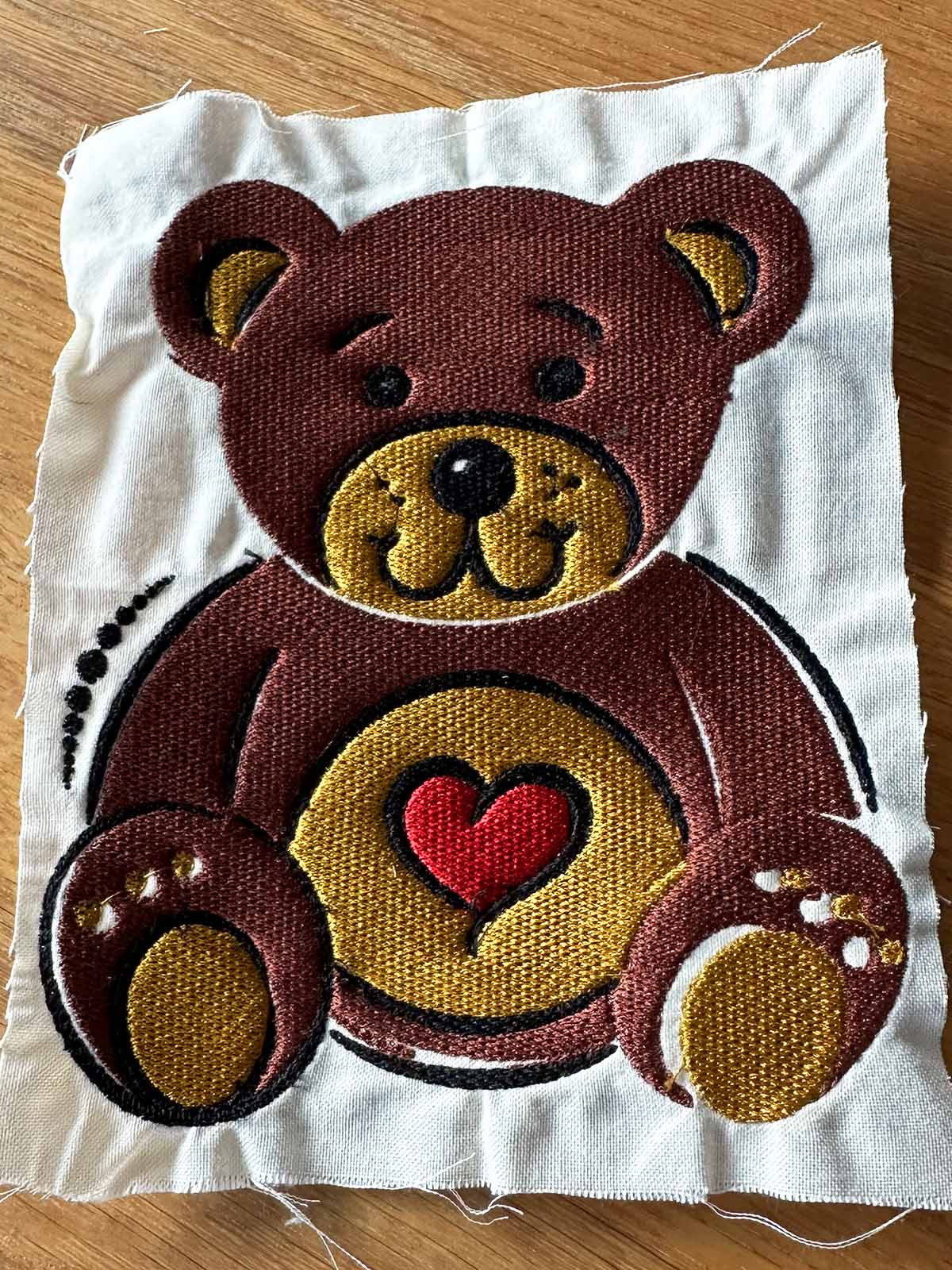
This distortion happens because dense stitching compresses the fabric. Thousands of needle penetrations in a small area pull the material inward.
The result:
➡️ Warped embroidery
➡️ Misaligned outlines
➡️ Visible white gaps
➡️ Unnatural stiffness
Higher embroidery fill stitch density does not automatically mean higher quality.
Why creating a density test file is worth it
A simple embroidery fill stitch density test file is incredibly valuable.
It helps you:
➡️ Understand how your fabric reacts
➡️ Compare density settings directly
➡️ Prevent distortion and gaps
➡️ Avoid unnecessary machine stress
Every fabric and stabilizer behaves differently. A small test can save a project.
FAQ – embroidery fill stitch density
What is a good embroidery fill stitch density?
A spacing value between 0.35 mm and 0.45 mm is a safe starting point for most fabrics. It balances coverage and flexibility.
Why do gaps appear between fill and outline stitches?
Gaps often appear when embroidery fill stitch density is too high. The compressed fabric shifts in the hoop, causing outlines to misalign.
Is higher stitch density better quality?
No. Excessive density increases stiffness and fabric distortion. Balanced density produces cleaner and more stable results.
Should I create my own density test file?
Yes. A simple test file helps you understand how your machine, thread, and stabilizer work together. It improves consistency and prevents mistakes.


Leave A Comment